THIS WEEK IN AI
Everyone Is Talking About Claude Design. Here's What It Actually Does.
If you've spent more than five minutes on AI-related content this week, you've seen it. Creators, coaches, tech accounts; everyone has an opinion on Claude's new design feature, and everyone seems very confident about what it can do.
We actually used it. Multiple times. On multiple things. And we have thoughts that are a little more nuanced than what the highlight reels are showing you.
We also made a video of the whole thing happening in real time, which you can watch right here if you want to see it before you dive in.
OPINION
The Honest Thing Nobody Is Saying About AI Right Now
I'm gonna say it, cause most people aren't: I get the impression a lot of the people post about new tools and features around AI have never actually sat down and used it.
They saw the announcement. They watched the release demo. They recorded a reel. And now there is a two-minute video in your feed explaining what this tool "can do" from someone who has never run out of tokens mid-project, had to figure out a workaround, or stared at a design that was almost right but not quite there yet.
I may be a little slower to talk about the "new" thing but it's because I want to try it before I share about it. Because when you try it first, it completely changes the advice you give.
This is not a knock on every creator out there, some of them are doing the work. But the pressure to be first is real, and being first and being accurate are two very different things. When you are trying to run an actual business, you need the second one.
There is another version of this that we see constantly, and it might hit a little closer to home. It is the feeling that you need to be learning every new tool, testing every new feature, keeping up with every release, because what if this one is the thing that finally changes everything?
We understand that pull completely. The tools are moving fast and the promise behind them is big (and exciting)! But chasing all of it at once is not a strategy. It is a distraction dressed up as productivity. (Do I need to repeat that last line?) Don't let it be a distraction from what really matters.
What we actually believe? You do not need to buy every course or try every tool. You need to look at your business, understand what would move the needle for you right now, and focus there. Someone who does not have a clear offer yet does not need to be learning Claude design. They need an offer. Someone who has an offer but no system to capture leads or make sales online does not need better social content. They need the system first.
The smartest thing AI can do for your business is help you get clear on the right next move. Not hand you ten more things to add to the list.
We still believe in these tools deeply. We use them every single day and we will keep reporting back on what we actually find. We just also believe your time is the most expensive resource you have, and we would rather help you spend it on the thing that matters most right now.
(There is actually a prompt for this in the paid section this week. More on that in a minute.)
HOW TO USE AI THE RIGHT WAY
We Ran Out of Tokens. Now We Are Saving You Yours.
Okay, real talk about Claude design.
It is impressive. Although with what I saw people sharing I thought it was going to be perfect, it's not. BUT it's good. And it is also still rolling out, which means credits are limited right now while Anthropic tests it, which means you will want to be strategic about how you use them.
We were not strategic at first (didn't realize we had to be). We went in excited, uploaded pieces, and ran out of tokens before we finished designing the website we were working on. So here is everything we figured out the hard way.
When it makes sense...start with a wireframe, not a high-fidelity design.
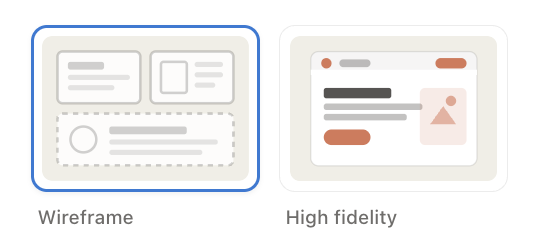
Claude design gives you two modes to work in.
Wireframe gives you the layout and structure with your brand colors and rough typography, but skips real photography, think sketch fidelity, not finished product.
High fidelity is the full polished version with real fonts, real spacing, real imagery, and everything looking exactly as it would when published. Wireframe uses fewer credits, which makes it the smarter starting point when you are still figuring out your layout.
The mistake most people make (us included, the first time) is going straight to high fidelity before they even know if the layout is right. Sketch the structure first. Work out the kinks in a wireframe and then switch to high fidelity once you know it's what you are looking for. It seems as if you will get so much further on the same number of credits.
I also recommend you give it a picture, not just a description.
As humans, we are not always great at describing what we are picturing in our heads from a design perspective, especially if you are not a designer, like me. That's Claire's area of expertise. The gap between what you are imagining and what Claude produces based on your words alone can be pretty wide. But if you give it a visual example and say "I love this design, now do something like this," the gap closes dramatically.
Find a Canva template you love the look of, or pull up a website with a design that feels right, (or use our Website KIT Canva Mockups) and upload it as a reference. It does not need to be exact. It just gives Claude something to look at instead of something to interpret. That alone will get you closer on the first try than any amount of describing ever will.
Front-load your prompt.
Every time you go back and forth with Claude design (just like in Claude Chat), it cycles through the entire conversation to generate the next version. That means every small revision costs more than it looks like on the surface. If you give it half the information upfront and then come back to change things, you are burning credits (they call them tokens) on revisions that could have been avoided.
The way to get ahead of this is to give it everything it needs in your very first prompt. Your copy, your images, your branding, the layout you want, the vibe you are going for. The more complete your starting prompt, the fewer rounds you need, and the further your tokens will go.
Upload your branding before anything else.
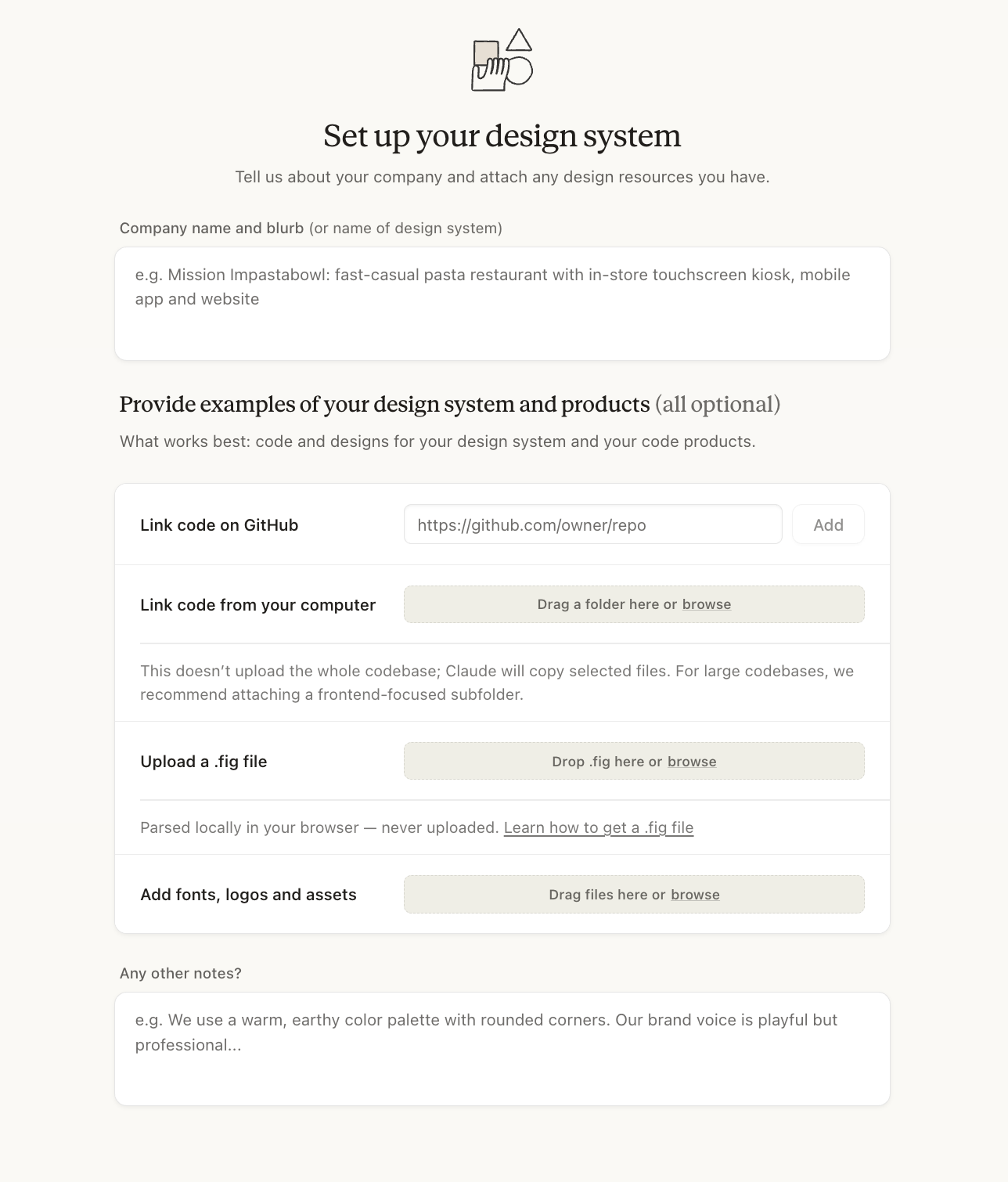
Claude design has a spot for brand information. Before you prompt it to design anything, get your hex codes and fonts in there. We ran our brand guide through a separate Claude chat first, had it pull out our exact colors and fonts, and then uploaded those into Claude design. It takes about ten minutes up front and saves you from describing your brand in every single prompt.
Have your images ready to go.
Once your design is looking good, Claude design will ask for your images specifically. If you have to go digging through folders mid-session (like I did), you are slowing down the process. If you want to do it all faster, know which photos you want before you start.
What designing a website actually looked like in practice.
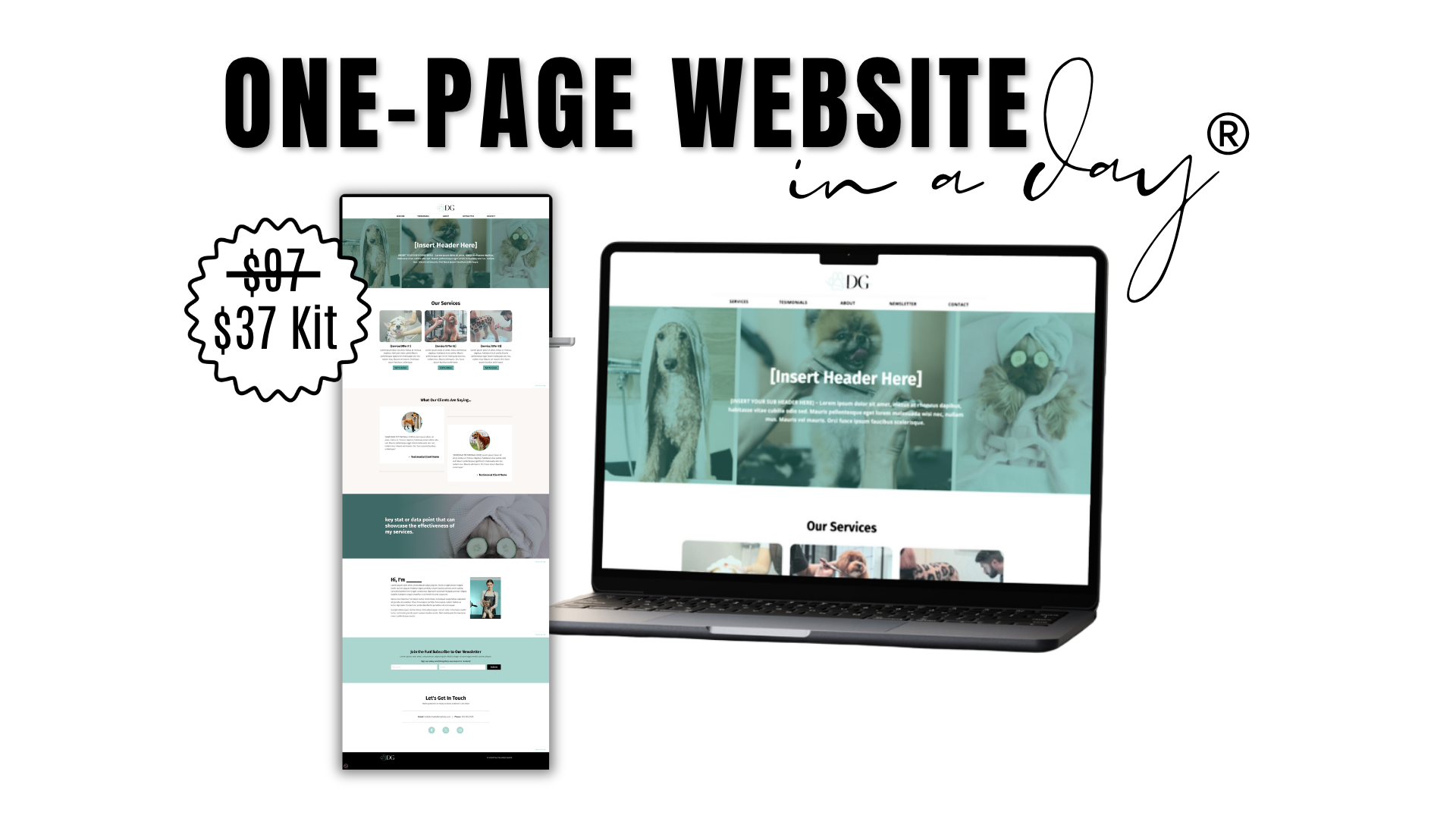
We used the One-Page Website in a Day® Kit to test the full workflow. Twenty minutes to answer the questions in our Magic AI Website Writer and get the copy generated. A couple of minutes to download the Canva framework to give Claude a visual reference for the layout. Ten minutes to get our branding uploaded since it was our first time setting that up. A quick detailed prompt. And then Claude designed the whole website within seconds.
The most time-consuming part was picking photos, which can be true of any design project. All in, the whole thing took an hour from start to finish. Well, if I'm being honest, we didn't FULLY finish because I ran out of tokens. But I got really far
We also tested it on a 20-slide social media carousel. After I got the images how I wanted, I asked it to transfer it into Canva and built a brand new project automatically. There were a few spots where design elements overlapped text and needed adjusting, but nothing dramatic. It took me four minutes to make the edits across twenty slides. Not too shabby. When I was using the Chat feature before, I had to make a Canva template for it to upload the text into. I might as well have designed it myself.
It is not perfect. It gets you extremely far, kinda fast. It seems the first time I do anything it takes quite a bit of time, but I think as I get more comfortable, it can speed up the process quite a bit, which can make the trade-off worth it.
THIS WEEK WE USED CLAUDE FOR
Krissy:
- Designing a full website mock-up using the One-Page Website in a Day Kit workflow. Copy from the Magic AI Website Writer, our Canva framework as a visual reference for the layout, and Claude design to pull the whole thing together. One hour, start to finish. (Without the Website KIT, that would have easily been a full day of back-and-forth with a designer at minimum, plus the cost.)
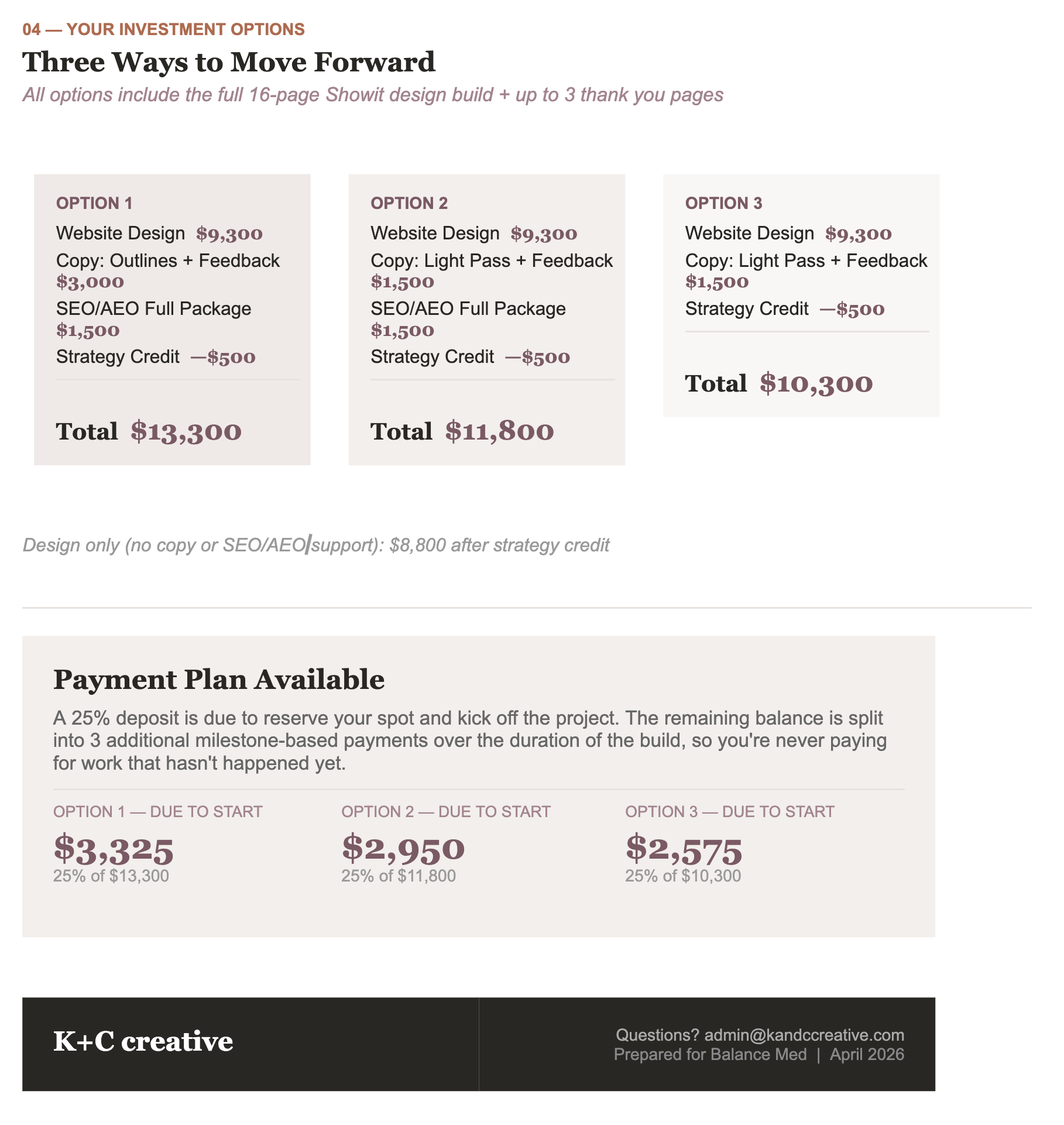
- Branded project proposals, templated, personalized, and polished in a fraction of the time. Could we have just verbally told this potential client the cost of the project? Yes. But being able to present a well-designed document with website packages clearly laid out, where she could compare the options, I am sure played a role in closing the deal. It helped her understand her options fast and without overwhelm, and it made us look incredibly professional (which we are!). Here is a snapshot of just ONE of the sections it designed.
- General troubleshooting all the tech things came up, as they do, and Claude was the first place we went. Faster than Googling, faster than a support ticket, and it actually explains what went wrong. (Sometimes) You do need to be careful with tech help from Claude and other LLM. Sometimes it is SURE you can do something when you can't. Providing screenshots as you work your way through the steps can help you get to a resolution faster.
Nicole (Our Admin):
- Set up a new client workspace inside ClickUp. Because Claude connects natively to ClickUp, it was able to go in directly, read through the call transcripts and session notes, and build out the full client area, including spaces, lists, and tasks. Nicole said it saved her a solid hour of manual setup work.
- Created a tax document to give to one of our clients so she could figure out her Shopify tax setup. We gave Claude the details, and it formatted everything cleanly. (Saved about 45 minutes of reformatting and fussing.)
- Continued tweaking of our weekly team calls. This one she has spent about 10 hours on. So no time saved, YET. But once we get the formatting down and the way we want Claude to approach the outlines, this WILL be a huge time saver.
This week we saved a few hours and learned a lot more about the capabilities of what is at our fingertips.
THE WEBSITE KIT + CLAUDE DESIGN
The One-Page Website Workflow.
The One-Page Website in a Day Kit was built to give you a strategic home page without all the work and hassle of starting from scratch or the need to learn how to become a copywriter and designer before you do it. The Magic AI Website Writer writes the copy for you using OUR strategic copywriting skills. The Canva framework gives you the structure and ability to mock up the design quickly. To be honest, with these two things you don't need Claude.
What Claude will do is create a design for you without you having to swap out copy, images, or colors.
But just in case you want to use Claude Design to mock it up for you, this week we will be adding a lesson on how to use Claude Design to mock up your website visually.We hope that we figure out how to leverage Claude design to mock up the website and then use that rendering to turn it into a LIVE website without ever having to touch design elements inside a website hosting platform. (I already have an idea of how this would work! But I need to test it all out. I will be reporting back in future newsletters.)
If you are not a trained designer, we have always believed you should design your website before you try to build it on a platform. Figuring out what you want it to look like while you are also trying to make it technically work ends up wasting a lot of time when you get to the end and realize the design is not quite right! This is one of the reasons templates can be so helpful as a starting point.
The Kit gives you the system to do exactly that, and while you don't NEED it, Claude design will be added in to give you options.
Oh, and one thing worth noting is that in addition to testing Claude design, we wanted to see if we could skip it entirely and use Claude chat with the Canva integration to mock up the website instead. The answer was "yes, kind of". The text dropped in fine (with a few tweaks needed), but getting Claude to import the images into the mock-up took about 15 minutes of back and forth, whereas uploading the images ourselves in Canva literally took 30 seconds. The lesson here is that just because you can use AI to do something doesn't always mean you should.
The Website Kit is only $37. And in our biased but road-tested opinion, one of the most useful things you can spend $37 on if your website has been sitting at the bottom of your to-do list for far too long.
Grab the One-Page Website in a Day Kit here.
AI CLUB members, check your welcome email for your 10% off coupon code before you grab it.
If you want to see a little behind the scenes, we posted a quick snapshot on Instagram here.
If you are not an AI CLUB member yet and you want access to the rest of this newsletter plus everything we have shared in past issues, you can join for $5.55 a month here.
We will see you next Sunday, where we will discuss a topic that is about to get a TON of attention and may change everything about the way you think about and post on social media.
xo Krissy
BONUS | For AI Advantage Members
Feeling Scattered? Let Claude (Or ChatGPT) Help You Figure Out What to Focus On Next Week.
This is the prompt we use with our own coaching clients who are feeling overwhelmed with knowing what to do next. Their wish list is long. There are so many things they want to be doing and it's causing them to work in circles and not make much headway.
This prompt will help you cut through the noise and identify the one thing that will actually move your business forward next week. Paste the below prompt it into Claude (Or whatever LLM you are using), answer what it asks, and walk away knowing exactly what you should be focusing on this week.
 The AI Advantage
Been worring about designing your Author or Speaker website?
We are here to SAVE you from yourself and the land of endless design decisions!
The One-Page Website in a Day® Kit gets your website live today, without writing a word of copy or making a single design decision so you can start building your email list and promoting your offers.
(Perfect for personal brands too!)
YES! Make my life easier PLEASE!
Join Our Free Trial
Get started today before this once in a lifetime opportunity expires.