The AI Advantage - Issue No. 20
Selling It Before It Exists
Every other week we get on a call with a small group of women who are building businesses, and usually we're talking offers, or messaging, or why Instagram is being Instagram again.
This Monday one of our members got on, and before I could even ask how she was doing she started rattling off her whole business. Her niche, her flagship program, her two live events, her pricing tiers, her payment plans, when she's launching. From memory. No notes, no scrolling through a doc trying to find the thing she wrote down three months ago.
I was so excited I could have jumped through the screen to hug her.
Because we have watched this woman want to revamp her business for so long by creating a group program and as soon as she would get clarity a roadblock would hit. Like the same week she got clear on her signature term she discovered someone trademarked it. That hiccup got her wheels turning again trying to get clarity and make progress.
And then this month it all clicked at once, and next week she will be selling it to her email list! Launching before it's built or has worked out all the details.
(YAY! These are the kinds of wins we love).
We can sit in our heads for months, years even, circling the same idea, making excuses, letting our own brain talk us out of it, creating and creating and creating and never actually selling anything. Messy action beats that every time. Even the wrong action beats it, because wrong action still shows you where the right path is.
So what changed for her? She stopped typing.
She started dictating everything into Whisper Flow, which lets you talk instead of type anywhere on your computer. She's up to 689,000 words in it. (Yes, really.) She'd talk out what she was thinking, then have AI ask her questions back about what she just said, and she'd answer those out loud too, and it would ask more.
The way she put it: "I finally got it. And it helped me put it together in a package."
But it does so much more...
Using AI as a sounding board works, and we love that for her. But if talking to it is all you're doing, you're using about ten percent of the thing.
Another woman on that same call lives in Germany and works in two languages all day long. She'd recorded an hour-long interview where she ended up translating on the fly, English to German and back, the entire way through. She tried to transcribe it by hand. Three minutes of audio took her over three hours, and she gave up.
This month she opened up Claude Code, told it what she wanted help with, and it did it. It translated it in English and then German, in minutes. While she was in there she also had it go through every download in her course library and find typos she didn't know existed, transcribe and summarize her whole YouTube catalog going back to 2022 so it's actually searchable now, and help her rebuild her course around what her newest students need first.
Six months ago she was scared to touch it. Her words: "I don't know why I was scared of it."
Hearing what she was doing with transcription hit home for us, because years ago in our other company we were translating everything from English into Spanish, and we paid a person a full-time salary to do it. Fifty thousand dollars a year. Imagine having this back then. (Granted, somebody wouldn't have had a job with us, and we don't say that lightly. But the work would have gotten done in a fraction of the time for $48,800 LESS.)
Which one do you use when?
So whant DO you use chat vs cowork, vs code?
Chat is for thinking. Drafting, asking questions, turning an idea over, talking something out. This is where most people start and then never leave. Partly because it becomes familiar and partly because they don’t realize what else it can do for them.
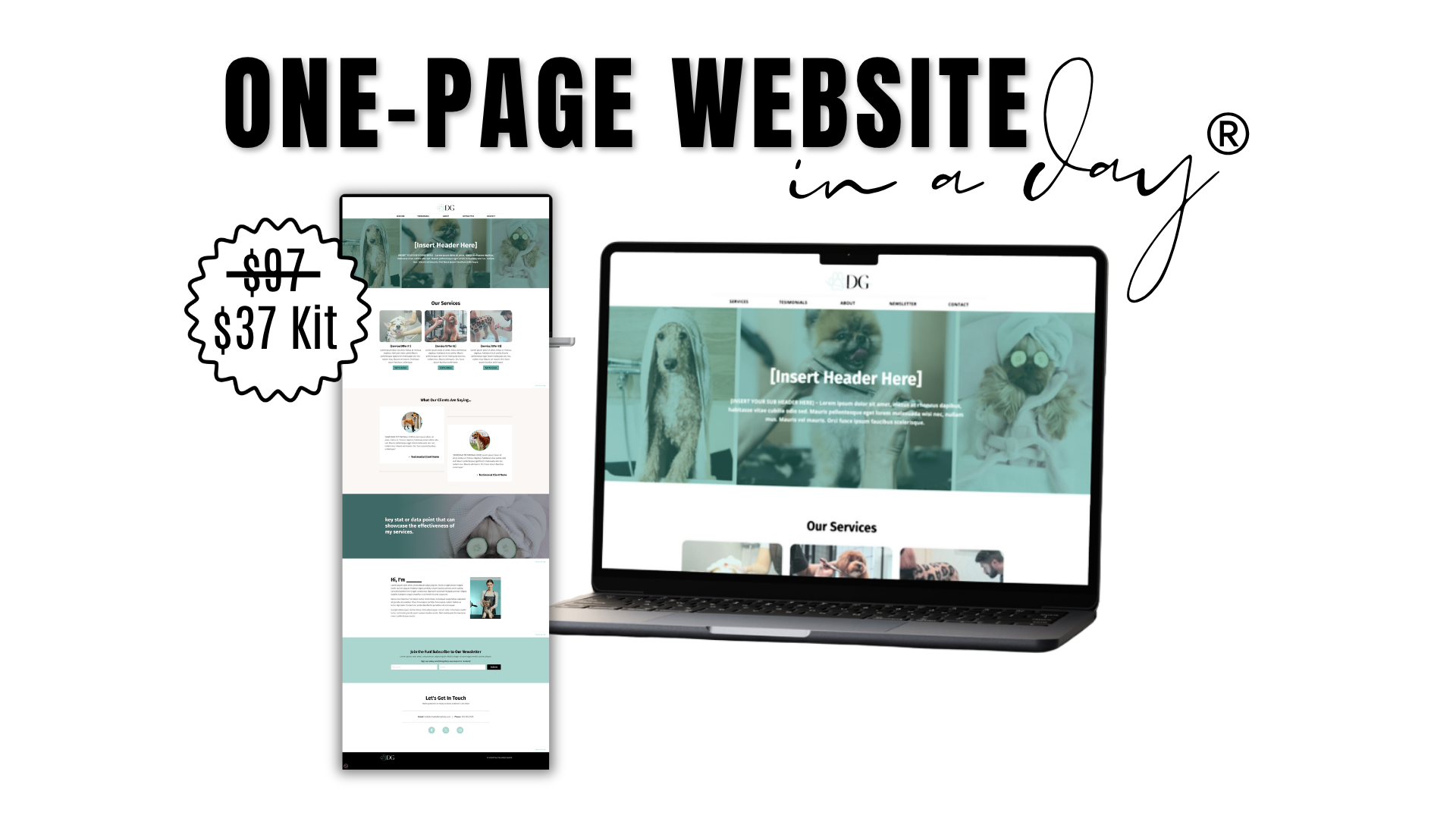
Claude Cowork is for doing. You give it your files, tell it what you want, and it goes off and does the work and hands it back finished. You can use Cowork to design a one-page website in about fifteen minutes. We uploaded our Canva template, gave it the edit link, and told it to use our copy and brand colors. It went into Canva and did the whole thing, made the layout calls off our framework, and when we didn't have an image it made one. (That's the same template system in our One-Page Website in a Day Kit, which is starting to feel a little generous as a name. It’s more like 15 min now!) I was THOROUGHLY impressed with how awesome the one page website turned out and how much it did NOT look like AI.
Claude Code lives on your computer, right where your files already are. It's the one for a lot of files at once, or anything you want to run again and again. People are using it to edit their Yapping videos right now. (The videos you record of yourself just talking and post to social media) Our member used it for her transcripts and her course cleanup. You can also use it to create apps for you. If you would have needed a developer in the past to do something, you can now do it yourself with Claude Code and a vision. You just articulate what you want and it builds it.
Said differently: If the files you need are in Google Drive, Canva, your inbox, your project manager, that’s Cowork, because it connects to those directly. If they’re sitting in folders on your own computer, that’s Claude Code, because it’s already in there with them.
Cowork you just open and start using. Code you install on your computer first.
WANT TO LEARN MORE?
Let us let you in on a little secret. While you could go buy a course from another influencer, and I am sure they would appreciate that, you can get training for FREE! Anthropic, the company that makes Claude, has FREE courses and video training out there.
Their self-paced courses are at academy.claude.com. Start with Claude Code 101, it’s free and you can get through it in an afternoon while the laundry’s going.
They also have their own YouTube channel at youtube.com/@anthropic-ai, which is where they put out videos on how to actually use the thing.
Fair warning on both. A good bit of what they publish is aimed at developers, so at some point you’re going to hit something that reads like another language and question if it’s too advanced for you. It’s not. It just uses a lot of new words you aren’t familiar with. If you need a refresher one of our blogs covered a lot of the AI lingo. Read it here.
And the fastest tutorial of all is Claude itself. Open it up and type “what can you do for my business?” or “how would I use Claude Code to clean up my course files?” and it will walk you through it, using your actual stuff as the example instead of somebody else’s.
One honest note
We are handing these tools a lot of our information. Our files, our folders, our finances, our email. There's plenty we still don't know about all of it, and if that makes you a little cautious, good. Be cautious. Give it access to what you're comfortable giving it and nothing more.
Just don't let the caution be the reason you spend another year circling.
Our member is not sending that email to sell her new offer this week because everything is finally perfect. She's sending it because she stopped waiting to be ready.
So pick the one task you've been avoiding. The folder you won't open, or the videos nobody can search, or the course you're pretty sure is outdated. Open Claude, tell it what you want in plain words, and let it go do it.
Then go sell the thing.
If you've been doing this by yourself, you don't have to. We meet twice a month. It's a small group that's equally supportive, encouraging, and knowledgeable.
Join our Group Coaching HERE.
And if someone forwarded you this, you can get it in your own inbox at kandccreative.com/newsletters/the-ai-advantage/subscribe.
XO Krissy


Responses